
How to Watch VR Porn on Apple Vision Pro
Apple Vision Pro opens the door to a premium spatial viewing experience with support for MV-HEVC and compatible third-party players. VirtualRealPorn already offers Apple Vision Pro-optimized files and a dedicated browsing experience for the device.
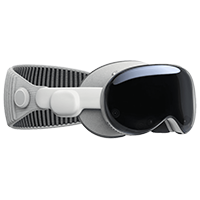
Experience immersive desire with Apple Vision Pro
Welcome to a revolutionary chapter in sensory exploration, brought to you by the pioneers of VR porn at VirtualRealPorn. We have merged the worlds of VR and AR to craft a premium experience tailored to Apple Vision Pro and its spatial computing capabilities.
Recommended Apple Vision Pro setup
Install a compatible player
Start with a player such as Skybox VR on Apple Vision Pro so you can open immersive 180-degree and MV-HEVC files with the right playback controls.
Choose Apple Vision Pro optimized files
VirtualRealPorn provides dedicated MV-HEVC downloads for compatible scenes so you can get the best possible image quality on the headset.
Download or stream your selected scene
Use your account to browse compatible content, then pick the playback mode that best fits your workflow and bandwidth.
Pair Bluetooth audio and settle in
For privacy and comfort, use Bluetooth headphones and take short breaks during longer sessions.
What to keep in mind on Apple Vision Pro
Apple Vision Pro natively supports MV-HEVC, which is the best format for the most advanced immersive playback on the device.
The display is private to the wearer, and Bluetooth audio keeps your listening experience private as well.
Apple Vision Pro is comfortable, but short breaks every 30 to 40 minutes help maintain comfort and focus.
FAQs
Yes. Apple Vision Pro supports playback of spatial video and 180° VR content through compatible third-party players such as Skybox VR. VirtualRealPorn offers MV-HEVC files specifically optimised for the device.
Apple Vision Pro natively supports MV-HEVC (Multi-View High Efficiency Video Coding). VirtualRealPorn provides dedicated 8K MV-HEVC downloads for all compatible scenes.
We recommend Skybox VR Player, available on the Apple Vision Pro App Store. It supports 180° side-by-side and MV-HEVC formats with full head-tracking.
Apple Vision Pro is designed for extended use with its lightweight frame and dual-loop band. We recommend breaks every 30–40 minutes. Bluetooth audio removes the need for cable management.
Apple Vision Pro's display is completely opaque to bystanders. Pair it with Bluetooth headphones for full audio privacy as well.
Yes. Third-party players like Skybox VR support both 180° and 360° formats. VirtualRealPorn produces content in 180° which delivers the best image quality on the device.


