
How to Watch VR Porn on Meta Quest 2
With Meta Quest 2 you can access a highly satisfying virtual reality porn experience with one of the best quality-price headsets. It remains one of the easiest ways to stream or download immersive scenes without needing a PC.
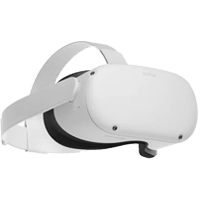
Why Meta Quest 2 is still a great VR headset
The great technical capacity of the processor, a good storage range and one of the lower prices make Quest 2 one of the most popular headsets for premium VR playback. With the right player, it can stream or play downloaded scenes in high quality with simple controls.
Meta Quest 2 quick overview
| Processor and memory | Snapdragon XR2 |
| Storage | 128GB / 256GB |
| Resolution | 1832 x 1920 |
| Field of view | 85-97 degrees horizontal, 93 degrees vertical |
| Refresh rate | Up to 120Hz |
| PC compatibility | Yes |
How to start watching on Meta Quest 2
Install a compatible VR player
Use a headset-friendly player such as DeoVR or Skybox VR so you can open premium VR180 scenes with the right projection and playback controls.
Open VirtualRealPorn on your headset or browser
Log in to your account and decide whether you want to stream directly or download scenes for local playback.
Choose the correct format and quality
For the best experience, pick high-resolution VR180 files that match your connection speed and the player projection settings.
Fine-tune comfort and playback controls
Adjust fit, focus, sound, and player zoom so your image stays sharp and comfortable during longer sessions.
Tips for a better Meta Quest 2 experience
Meta Quest 2 benefits from optimized high-resolution videos that keep the image crisp without overloading the headset.
Local playback can feel smoother than streaming if your Wi-Fi connection is unstable.
Binaural audio feels more convincing with quality headphones or earbuds.
FAQs
Meta Quest 2 is a standalone VR headset from Meta that lets you enjoy immersive content without connecting to a PC. It remains one of the most popular and accessible headsets for VR porn playback.
Yes. You can stream or download VR scenes optimised for Quest headsets and watch them through compatible VR video players directly on your headset.
Install a trusted VR player, sign in to your VirtualRealPorn account, and choose either streaming or local playback. For best quality, use high-resolution VR180 files and the correct projection settings.
Skybox VR and DeoVR are commonly used options. Both support 180° formats and provide playback controls that work well with Quest headsets.
Yes. You can use Meta Quest Link with USB-C or Air Link over Wi-Fi to run a PC-based workflow while keeping the headset immersion.
Meta Quest 2 supports common VR formats such as 180° side-by-side and 360° videos, depending on the player. For best visual quality, we recommend optimised 8K VR180 files when available.


